
Features
What you can hand over to your patient.
You open each tool from your web space, consultation after consultation, at your own pace; your patient finds it on their phone. Tools marked "from day one" are available at launch. The others, already built, open over the coming months. Every module displays raw data: Orekio shows it, you interpret it.
A question about the app? The AI assistant explains it, guides you step by step and finds a piece of information. See it all on the assistant page
From day one
What your patient sees on their phone.
One screen per tool, with sample data. The list grows with every new tool that opens.
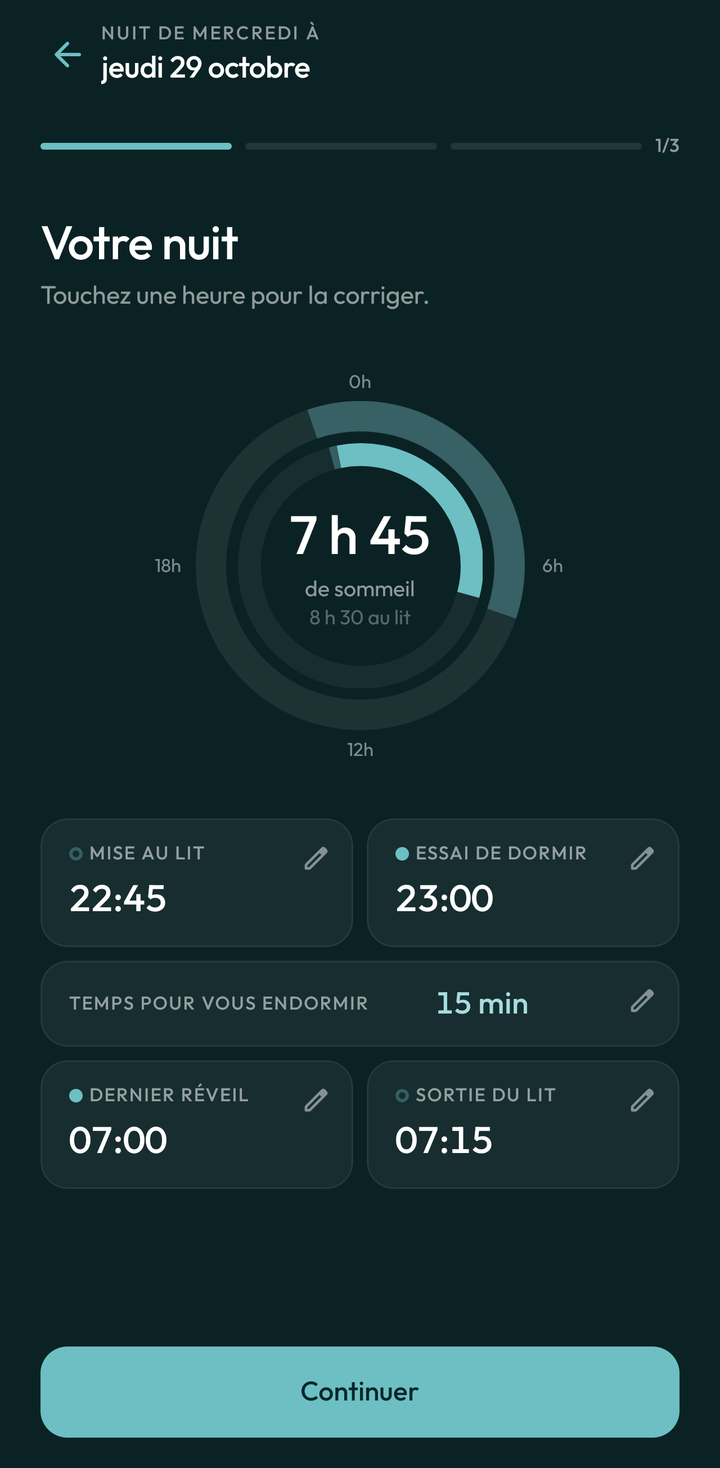
Sleep diary
Observe
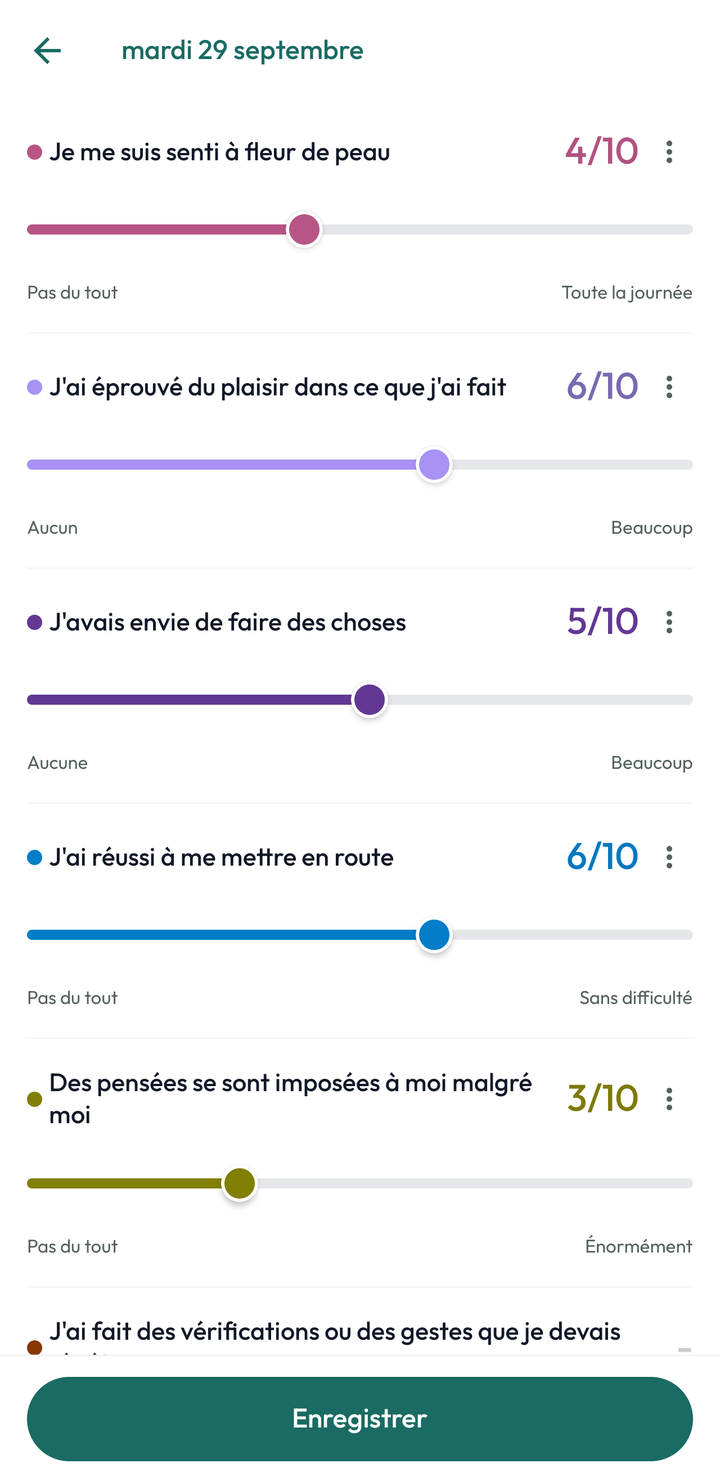
Daily log
Observe
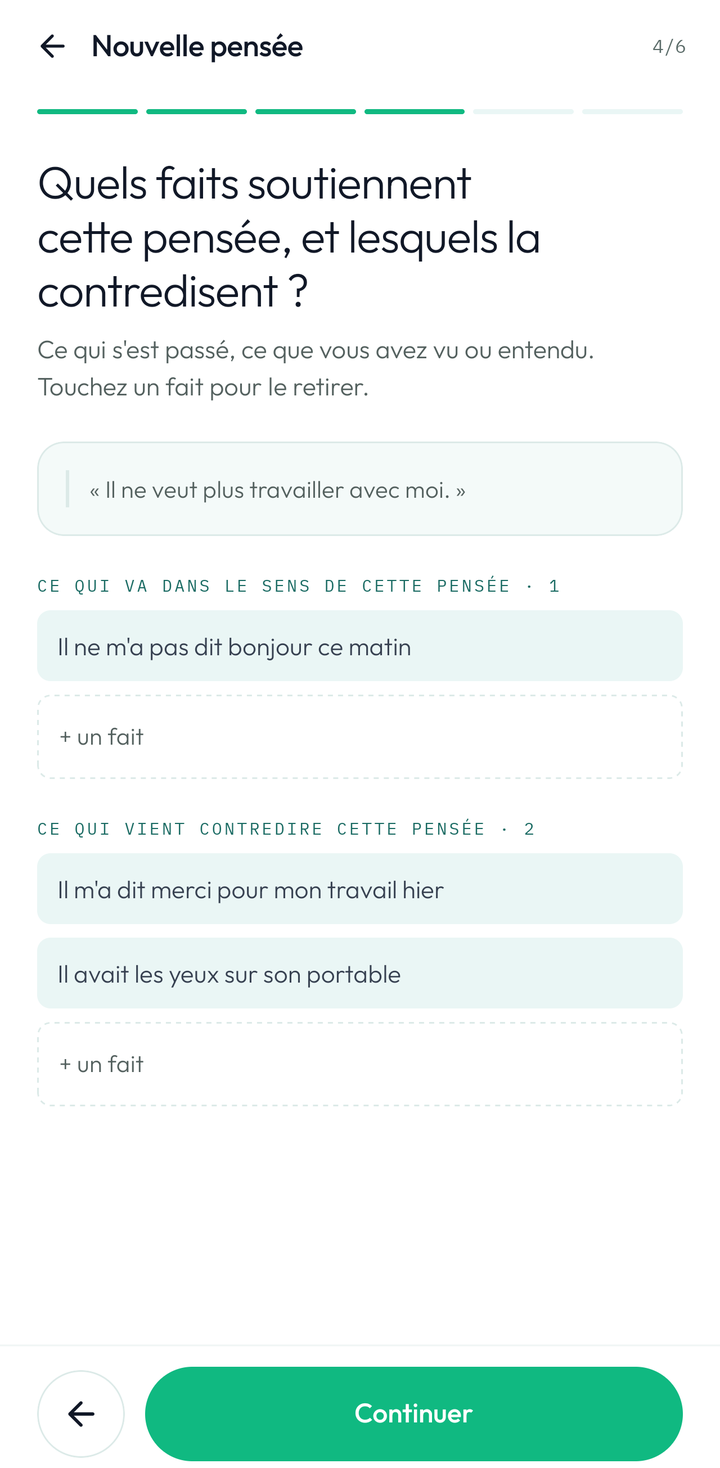
Beck's thought records
Practise
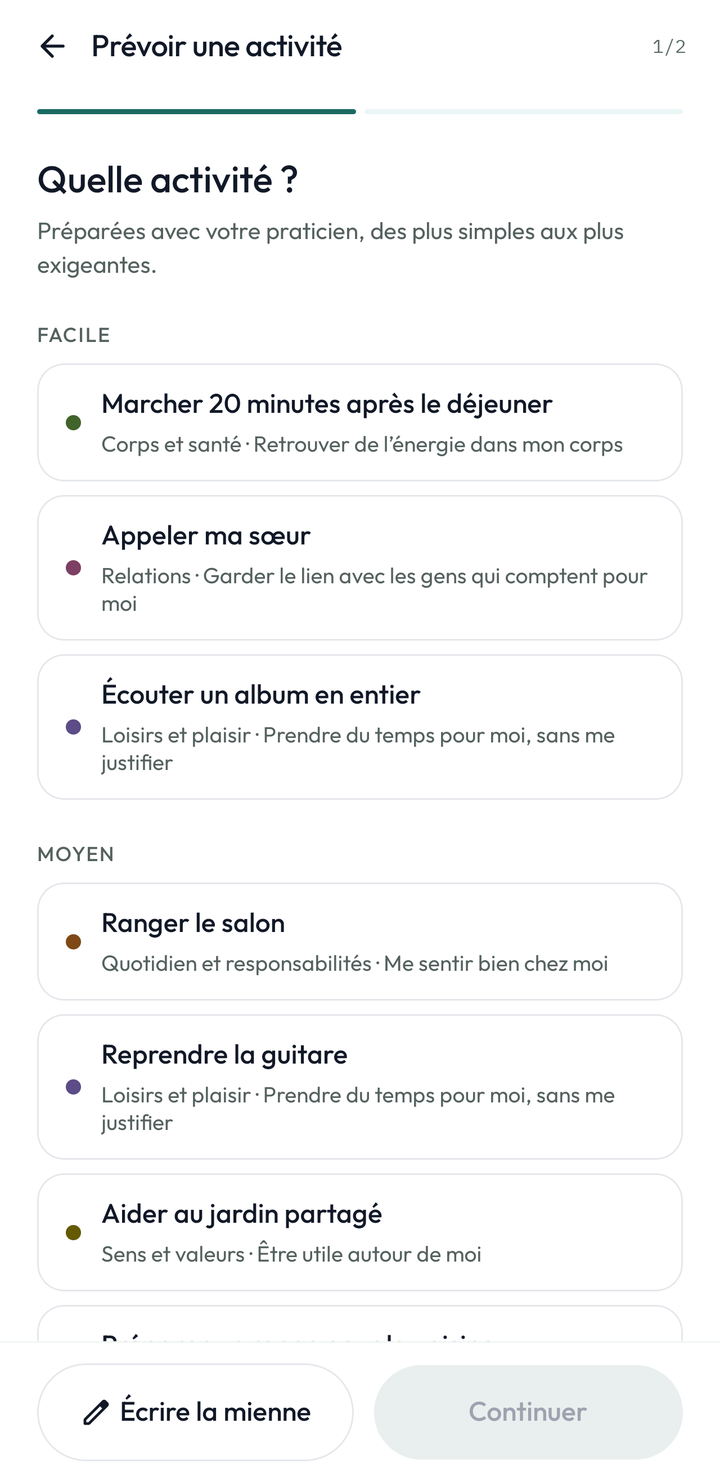
Behavioural activation
Practise
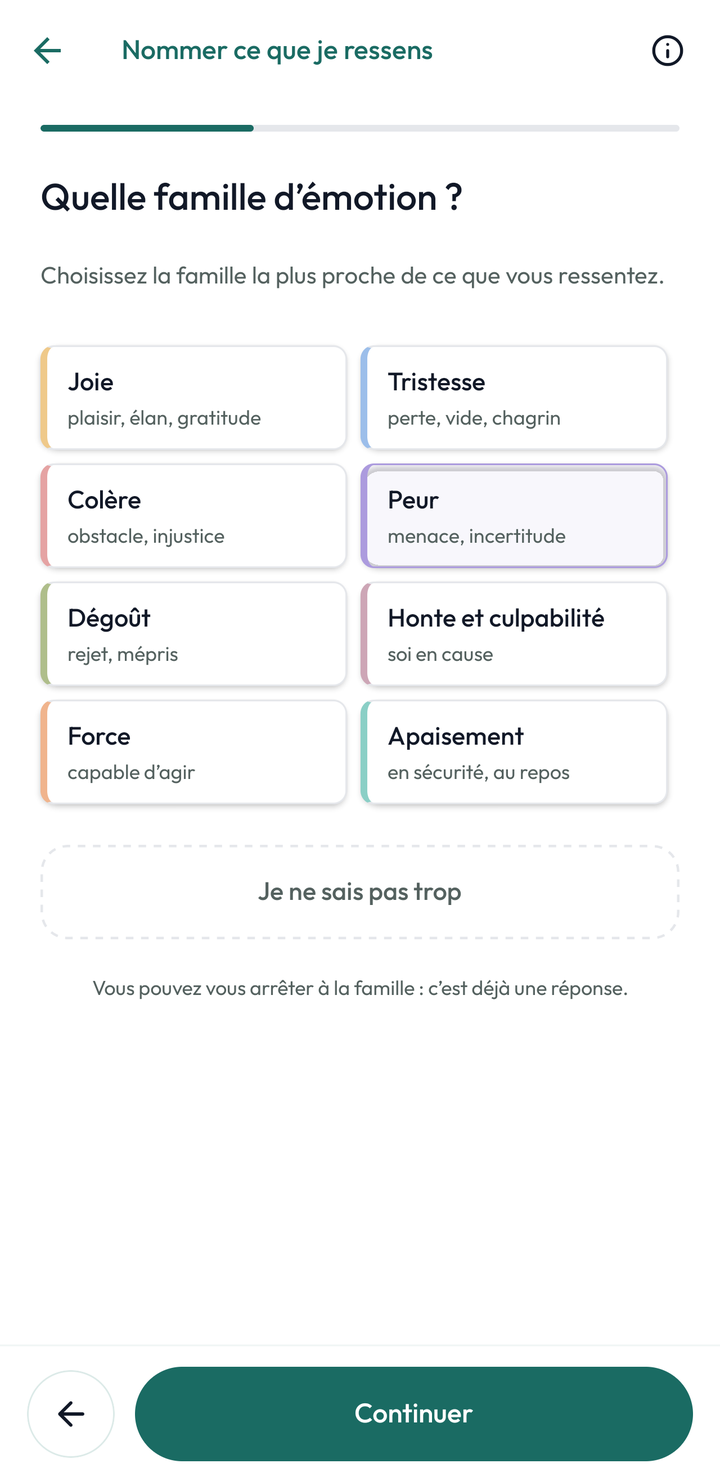
Naming what I feel
Understand
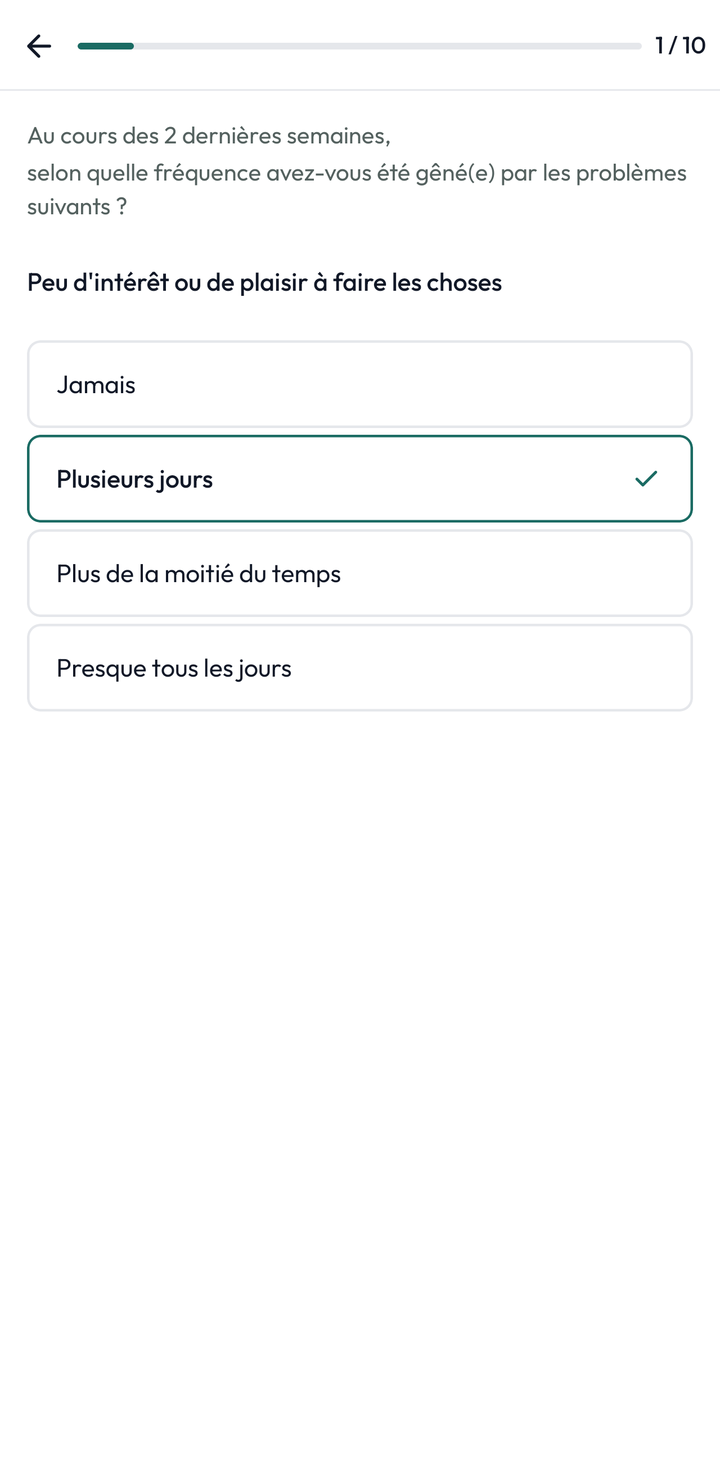
PHQ-9
Answer
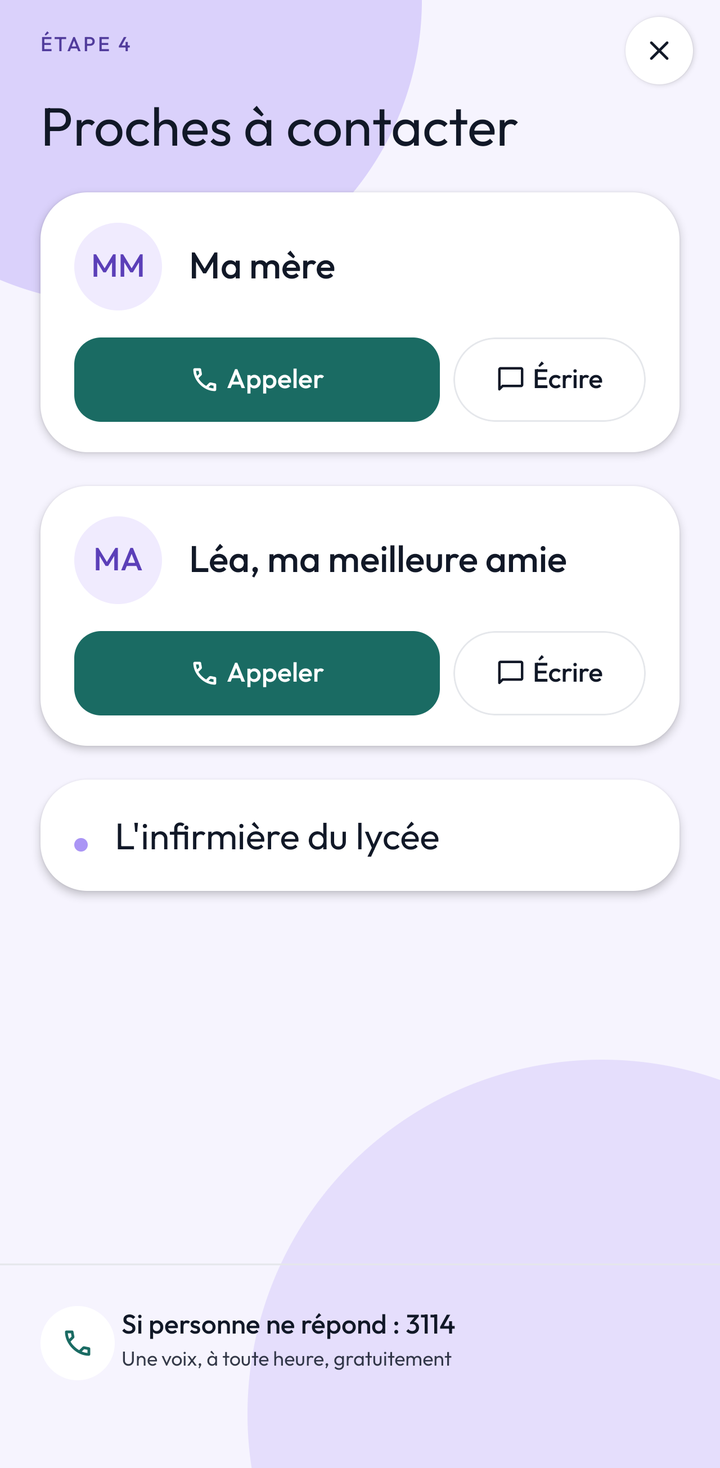
Safety plan
Hold on
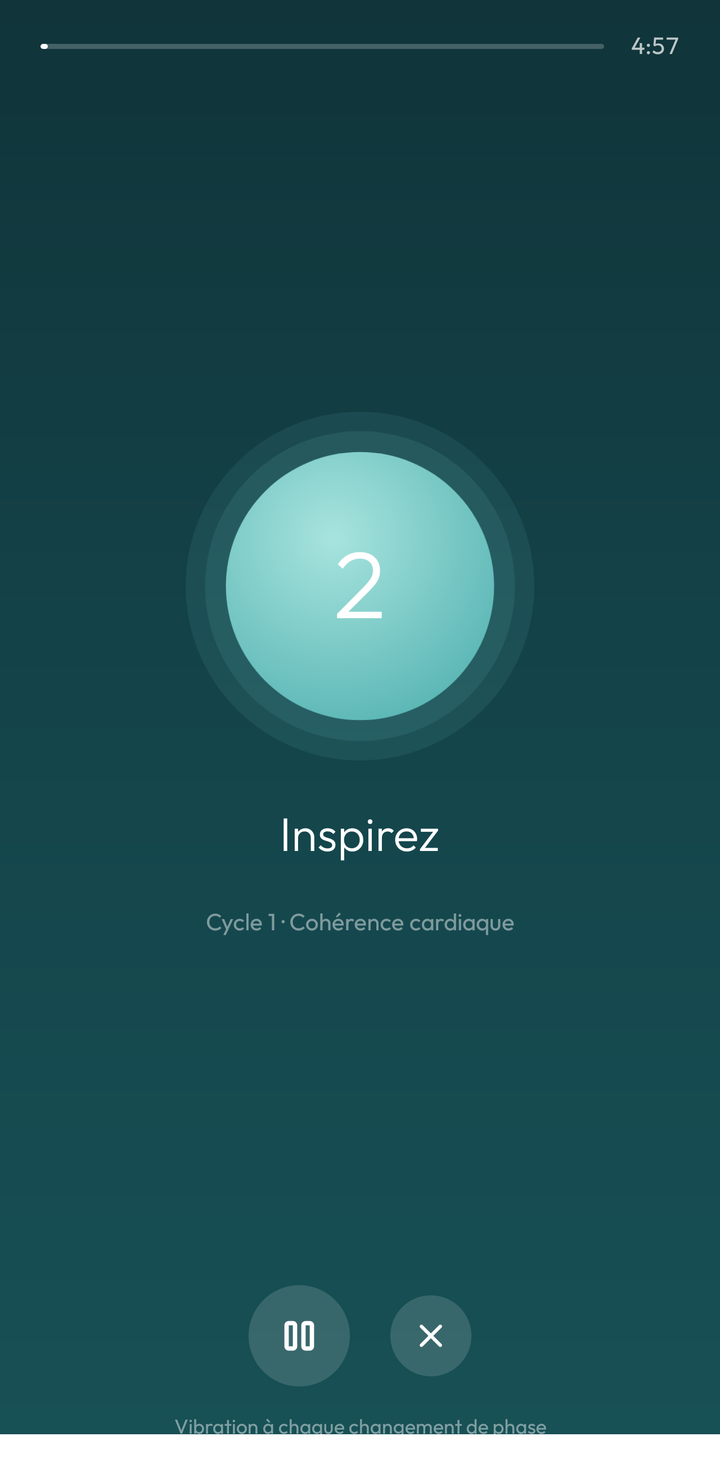
Breathing
Hold on
Practise
The in-depth work, between appointments.
- Beck's thought recordsfrom day one
- Graded exposure
- Behavioural activationfrom day one
- Mental imagery reprocessing
- Decisional balance
Observe
What happened, day after day, as they noted it.
- Sleep diaryfrom day one
- Daily logfrom day one
- Rhythms and regularity
- Medication intake
- Side effects
- Craving journal
Understand
What you explain in consultation, to reread at home.
- Psychoeducation sheets
- Naming what I feelfrom day one
Answer
A score, never an interpretation.
- PHQ-9from day one
Hold on
Tools for hard moments, prepared together, within reach.
- Safety planfrom day one
- Distress tolerance
- Grounding
- Breathingfrom day one
Patient side
The work goes on between appointments.
Two screens from the patient app, with sample data.
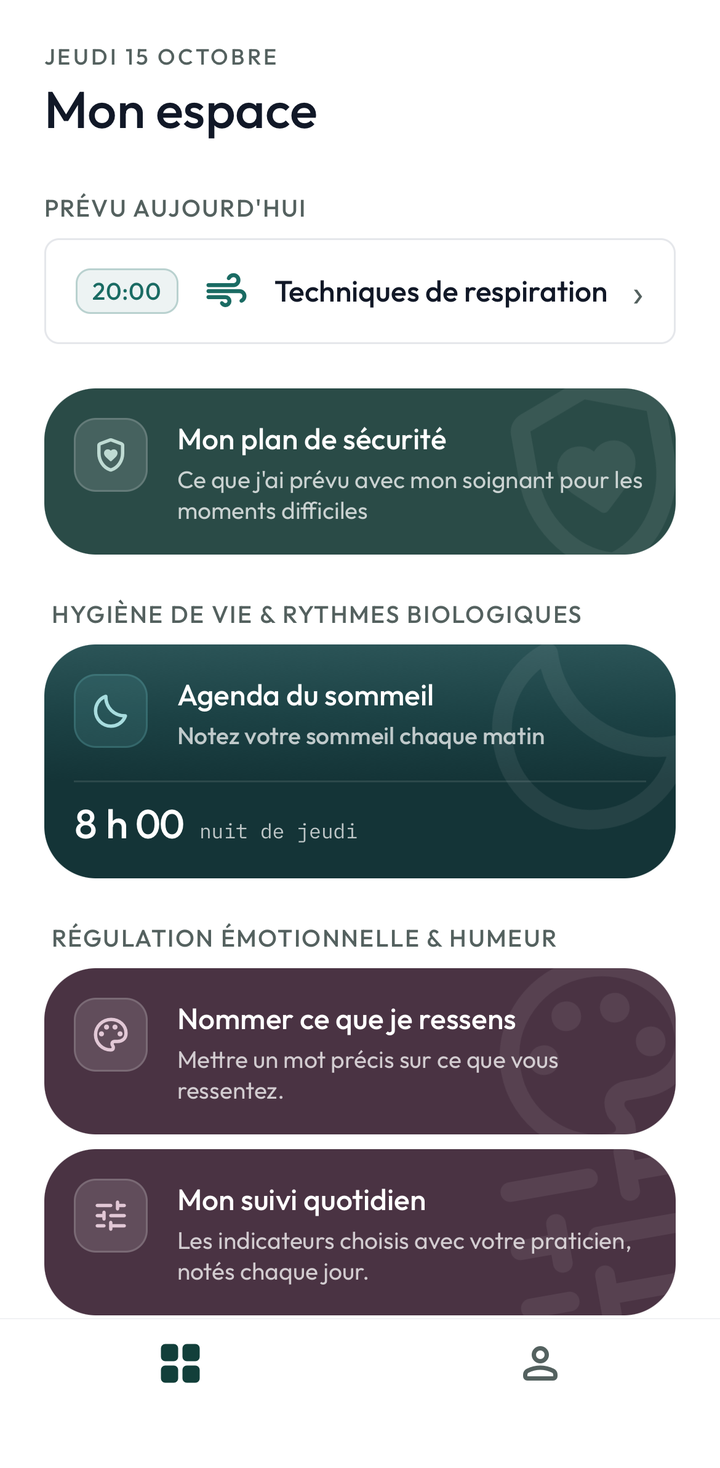
Their space
What is planned today, then the tools you have opened, grouped by theme.
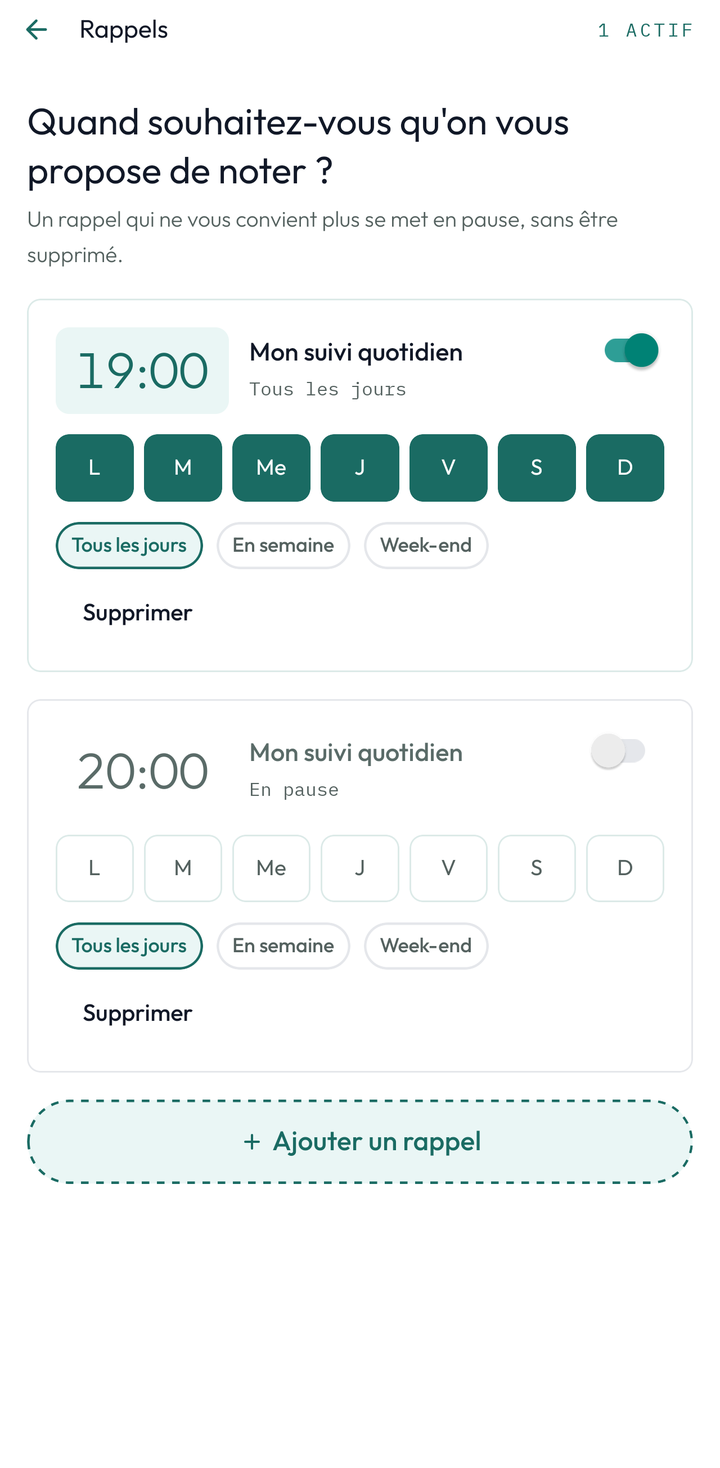
Their reminders
The days and time you have set. They can shift or pause them, never based on what they have entered.
Practitioner side
Your space, from one consultation to the next.
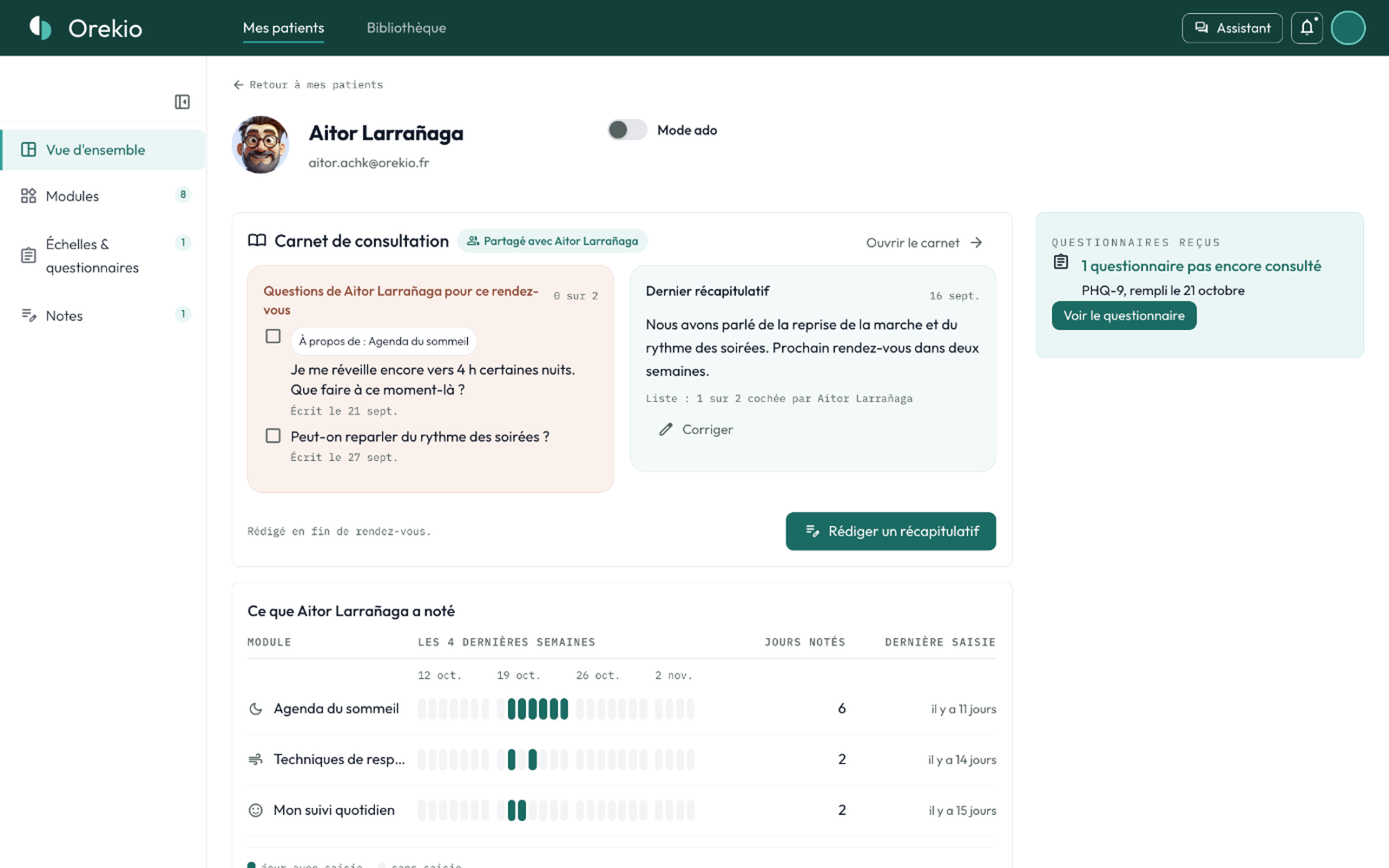
Five screens from the web space, with fictional patients.
01 · Before the consultation
What the patient has entered, at a glance.
The modules used over the last four weeks, day by day, and the questionnaires received but not yet viewed.
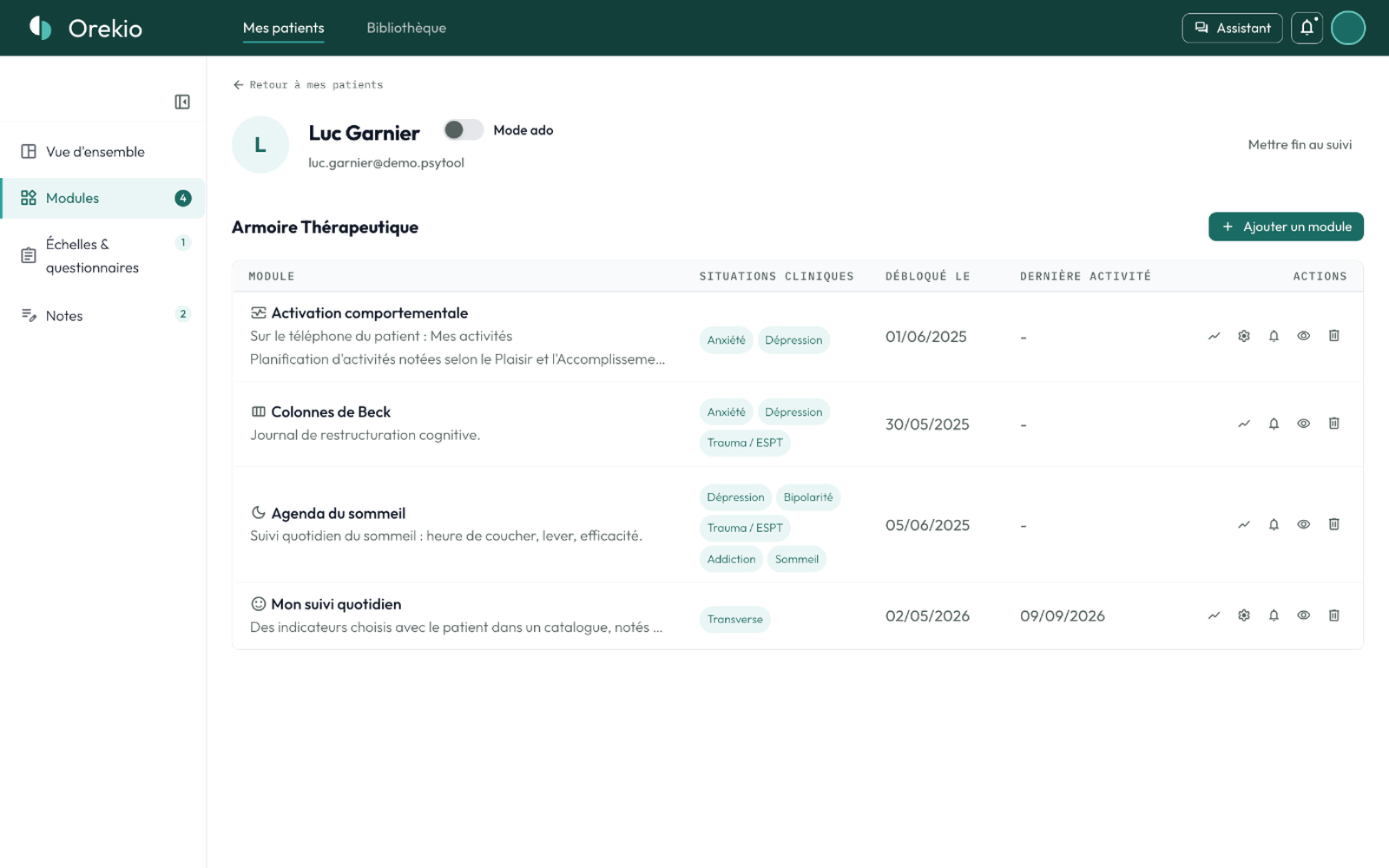
02 · Choosing the tools
You open access to modules as consultations go.
Each tool opens once you have worked on it together, and can be withdrawn at any time.
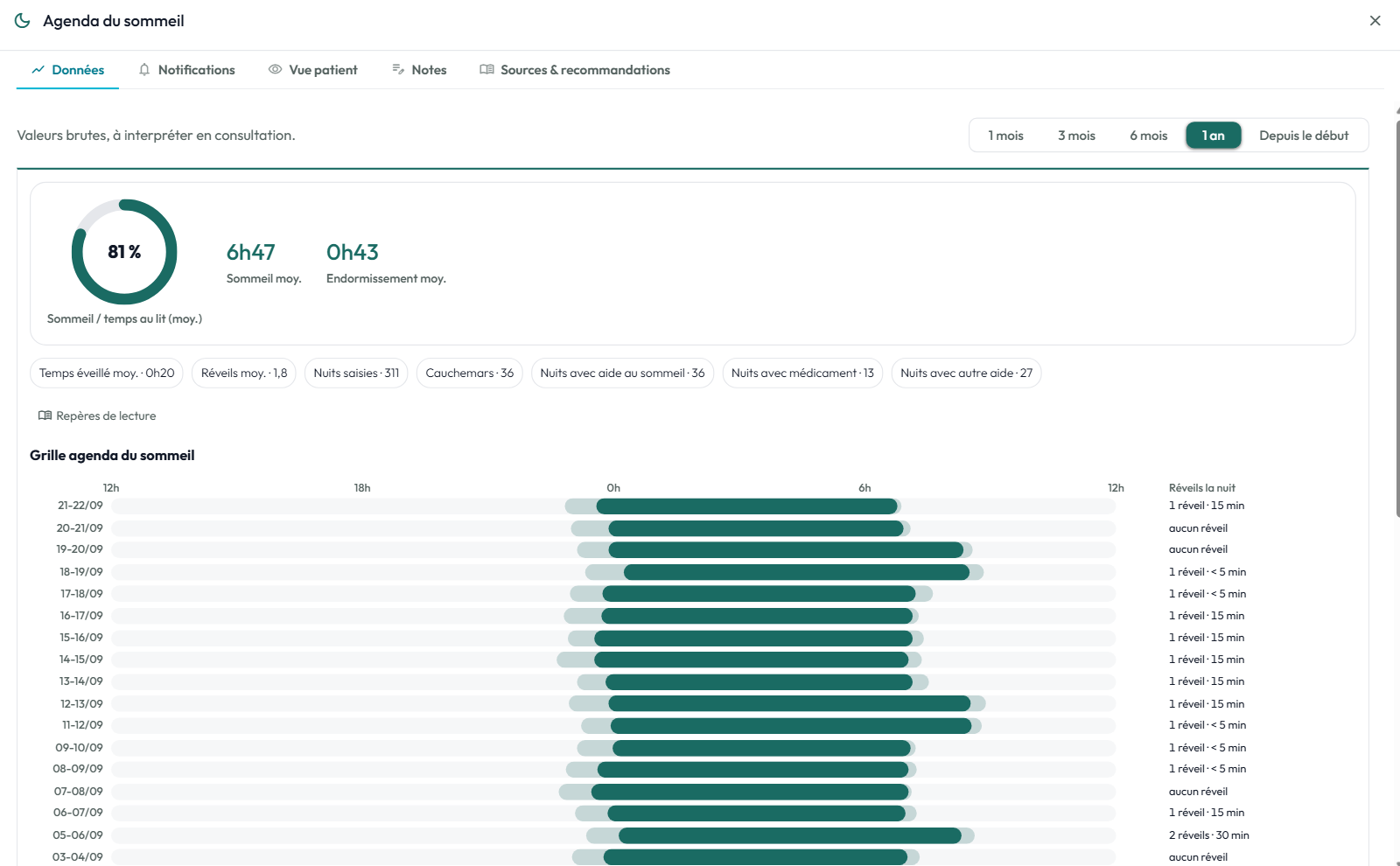
03 · Sleep diary
Easily view the sleep diary data.
The grid of nights, and the averages calculated over the period you choose.
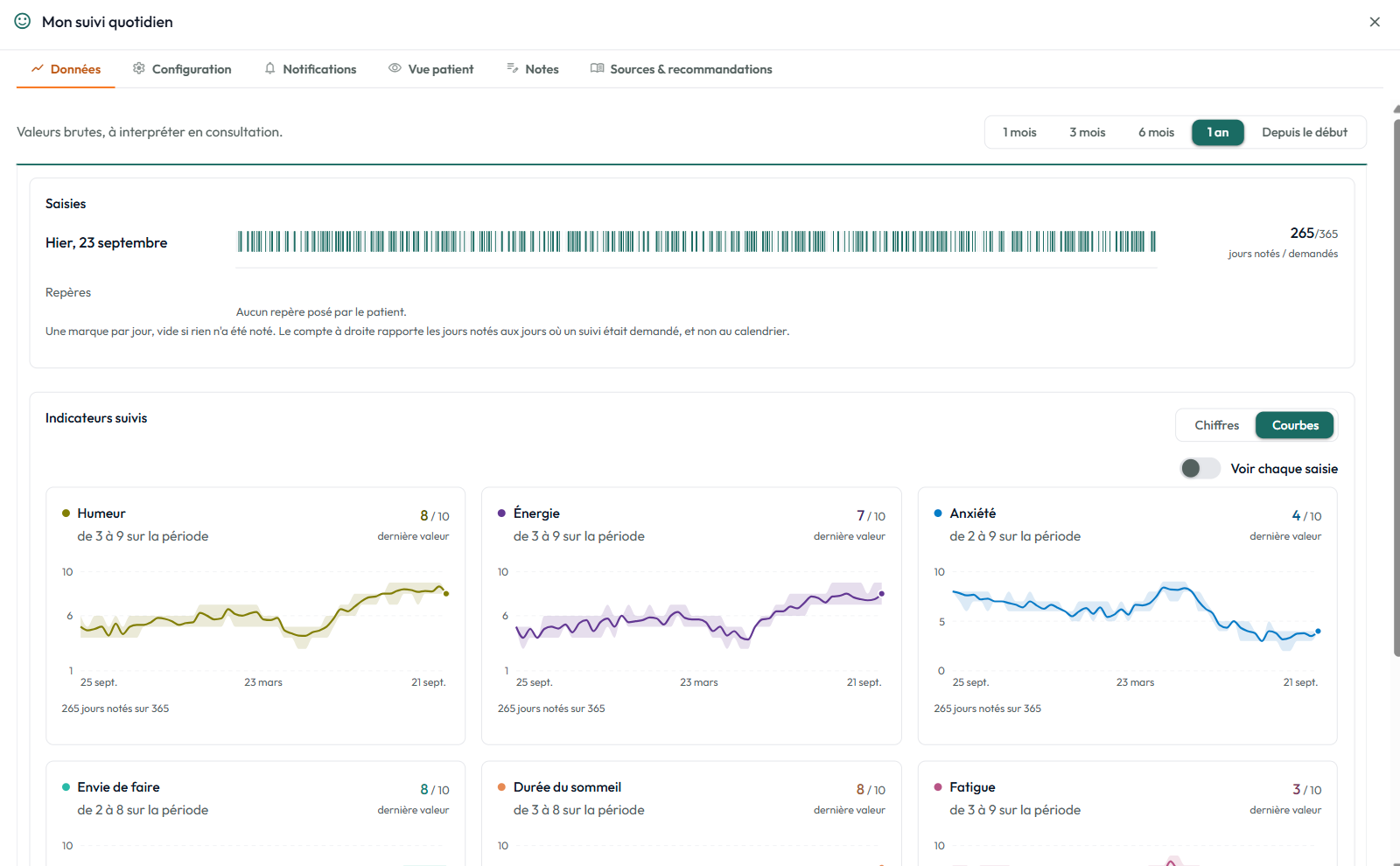
04 · Daily log
View each indicator over the period of your choice.
One curve per indicator, the range of values over the period and the number of days entered.
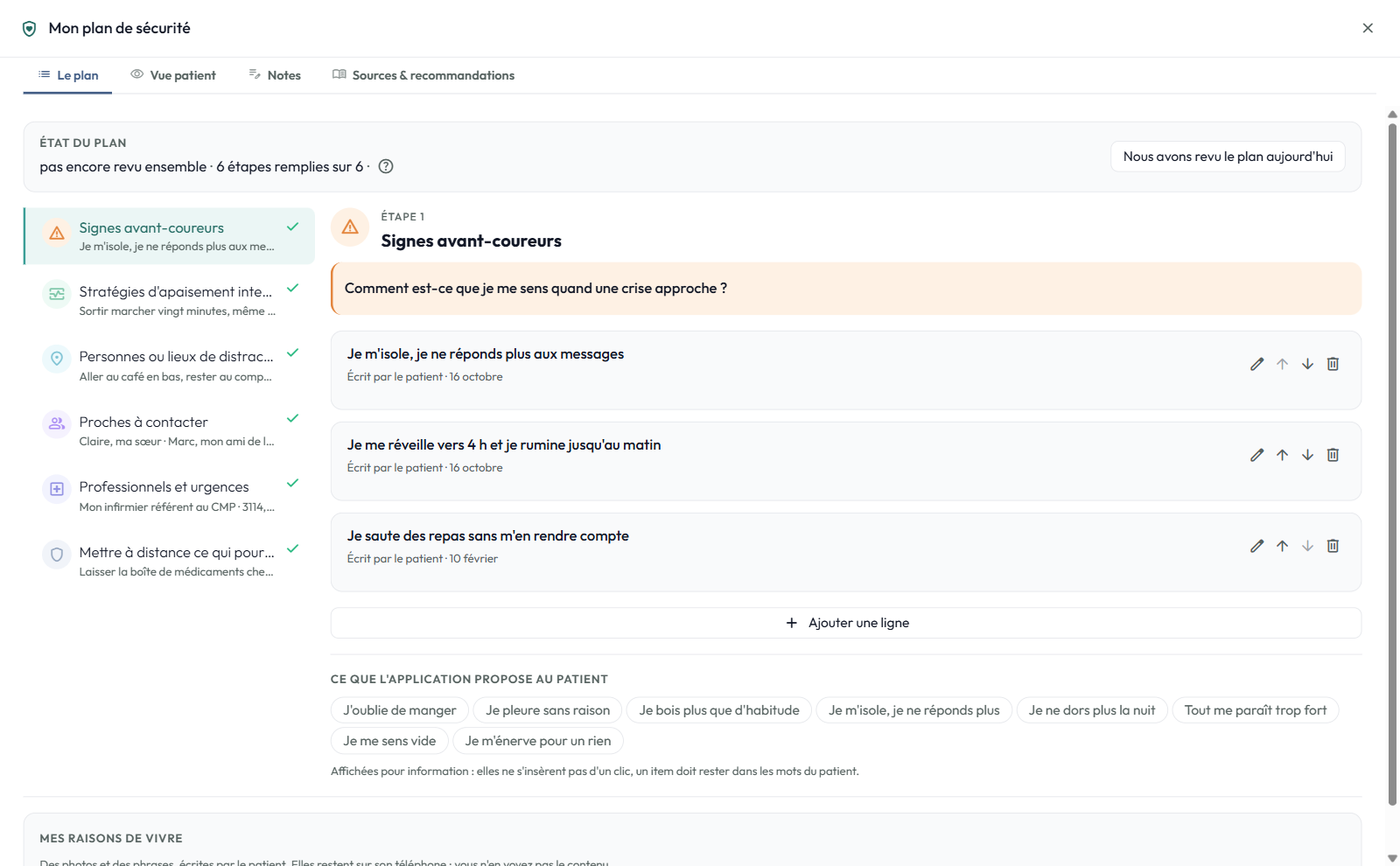
05 · Safety plan
The safety plan, in the patient's own words.
Six steps, written with them and reviewed together in consultation.
And around the modules
Reminders
You set days and a time for each tool. Your patient can shift or pause them, and you see what they did with them. Never conditioned on what they write.
Sources
Every module cites the scientific references it draws on.
Offline
Your patient keeps working without internet, and nothing is lost.
The patient stays in control
Sharing their entries is on by default and they reach you continuously. They can stop it or erase their data whenever they wish. You can withdraw a tool at any time.
Ready to try Orekio with your patients?
2 months free with no credit card and a founders' rate, reserved for the first 100 sign-ups.
Try it free